Identify Binder
If starting the tutorial with this unit, start with setting the project folder as described here. The visualization settings used in this tutorial are described here.
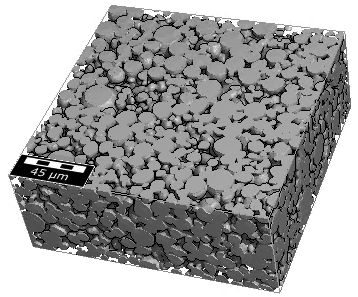
The solid material in reality consists of several materials, which could not be distinguished from each other in the scan: NMC (Nickel-Manganese-Cobalt) grains and a carbon black and binder domain (CBD).
GrainFind provides two neural networks. One network is trained to identify binder in granular structures with spherical grain shapes. Thus, it is perfect for the NMC example structure in this tutorial. The other network identifies binder in graphite structures. If other networks are needed, either train new user-defined networks with the GeoDict‑AI module, as for example shown in the Training neural networks for binder identification in NMC cathodes tutorial, or contact support@math2market.de.
To run the binder identification on the graphics card, which is much faster, a good graphics card is needed, see System Requirements on our webpage. Please make sure the drivers are installed and up to date. See more information on graphics cards under https://developer.nvidia.com/cuda-gpus. This webpage contains a helpful section with Frequently Asked Questions.
|
Note! For more information about the parameters and results of the Identify Binder (AI) command refer to the GrainFind User Guide. |

- If it is not loaded anymore, load the structure model obtained from the import (500 x 500 x 200) in the first part of this tutorial series Import and Quality Control of a Cathode Material. For this, select File → Open Structure (*.gdt, *.gad) from the menu bar. Browse for the Input-Data folder inside the tutorial folder and select the GeoDict structure file ETH-NMC-Cathode.gdt. Click Open.
- Select Analyze → GrainFind in the menu bar.
- In the GrainFind section, left from the visualization area, select Identify Binder (AI) from the pull-down menu, and click Edit.
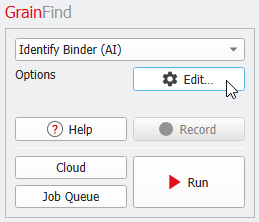
- In the opening dialog, under the Binder Identification tab, select the neural network specialized on granular structures with spherical particles, Label Binder in NMC Cathode.gnn.
- For the Binder Material (ID 02) choose PVDF Binder + Carbon Black.
- In the GPU Options tab select one or more suitable GPU if available and licensed. If that is not the case, the neural network will run in CPU mode, which will need much more time. As the results are available in the tutorial folder, the labeled structure can be loaded from there for the following units.
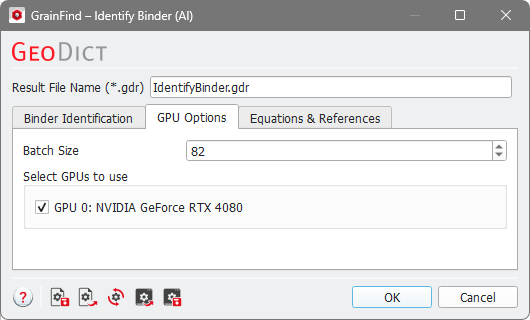
- Click OK in the dialog and then, click Run in the main GeoDict GUI. On our machine it took about 1 minute in GPU mode.
|
Note! The identification of binder runs and produces the file IdentifyBinder.gdr and the folder IdentifyBinder. The results are described here. |