Tortuosity
If starting the tutorial with this unit, start with setting the project folder as described here. The visualization settings used in this tutorial are described here.
To compare transport properties of a structure and its optimization, the tortuosity can be useful. It indicates the length of the necessary detours. Find the results of this analysis here.
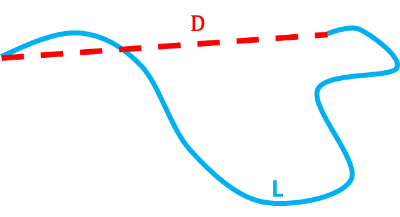
The geometric tortuosity is defined as
where is the length of the path between two points within the structure and is the distance between these points.
The diffusional tortuosity is given by:
|
Note! For more information about the parameters and results of the Simulate Diffusion Experiment command refer to the DiffuDict User Guide. |

- If it is not loaded anymore, load the structure model obtained from identifying binder in the previous unit of this tutorial. For this, select File → Open Structure (*.gdt, *.gad) from the menu bar. In the Results-User folder from the IdentifyBinder folder select the GeoDict structure file labeledStructure.gdt and click Open. If Identify Binder was not run, load the labeled structure file from the Results-M2M folder inside the tutorial folder.
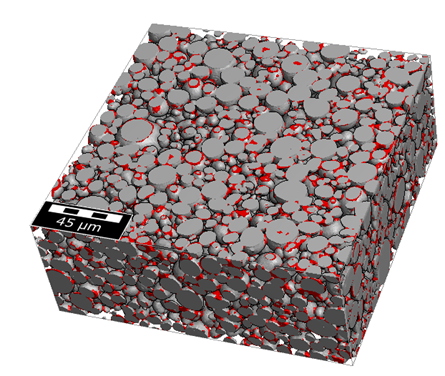
- To compute the tortuosity for the example cathode, select Predict → DiffuDict in the menu bar.
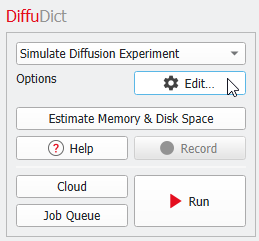
- In the DiffuDict section, left from the visualization area, keep the selection of Simulate Diffusion Experiment from the pull-down menu, and click Edit.
- Change the Result File Name to Tortuosity.gdr.
- Under the Constituent Materials tab choose by Porosity / Tortuosity as Diffusivity Input Mode and enter 3e-6 m2/s for Diffusion Coefficient in Electrolyte.
- Move to the Boundary Conditions tab and leave Z checked for Computation Directions.
- The Boundary Conditions in Diffusion Direction and in Transverse Directions should be changed to Symmetric.
- In the Solver tab keep the selection of EJ from the pull-down menu.
- Check Write Diffusion Flux into Solution File in the bottom of the dialog.
- Click OK in the dialog and then, click Run in the main GeoDict GUI. The simulation runs in about 2 minutes on eight cores.
|
Note! The simulation produces the file Tortuosity.gdr and the folder Tortuosity. The results will be used to compare the original data set with the statistical digital twin, created in the next part of this tutorial series Building a statistical digital twin of a cathode material. |