Analysis of Result Files with Microsoft Excel
GeoDexcel
With GeoDexcel all GeoDict result files (*.gdr) can be exported as Microsoft Excel® files.
The exported files contain all the settings for the corresponding simulation, all result values and all plots which are shown in the GeoDict result viewer. Now a detailed post-processing and a deep analysis of GeoDict results with Microsoft Excel® is possible.
Examples of applications
- Filtration applications: Compare and rank filter media by plotting of filtration efficiency and comparing the pressure drop evolution.
- Battery research: Study and compare the different pore size distribution of electrode materials.
- Oil & Gas industry: Create Microsoft Excel® reports for a digital rock workflow.
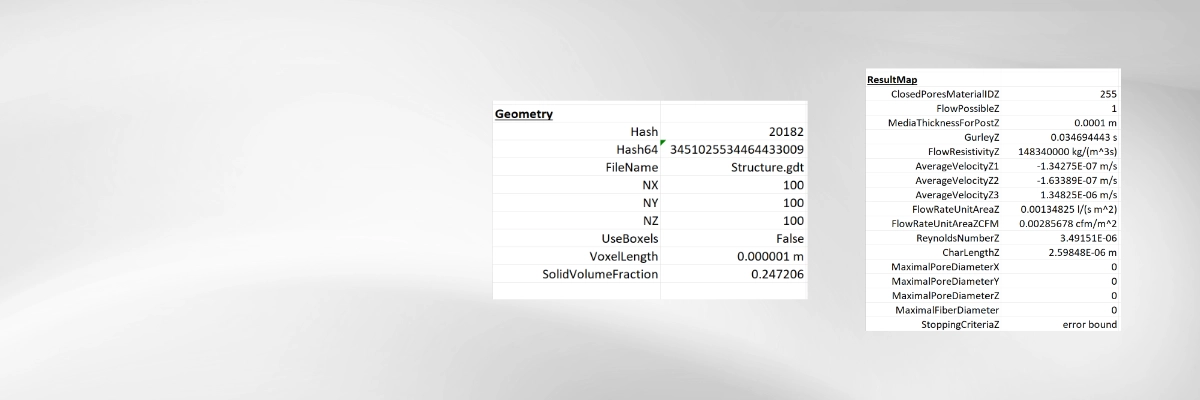
All Results in One Excel Spread Sheet
The exported Excel file contains
- The geometry information
- All relevant input and simulation parameters
- All the results
On the right one sees a part of the Excel report from a FlowDict simulation
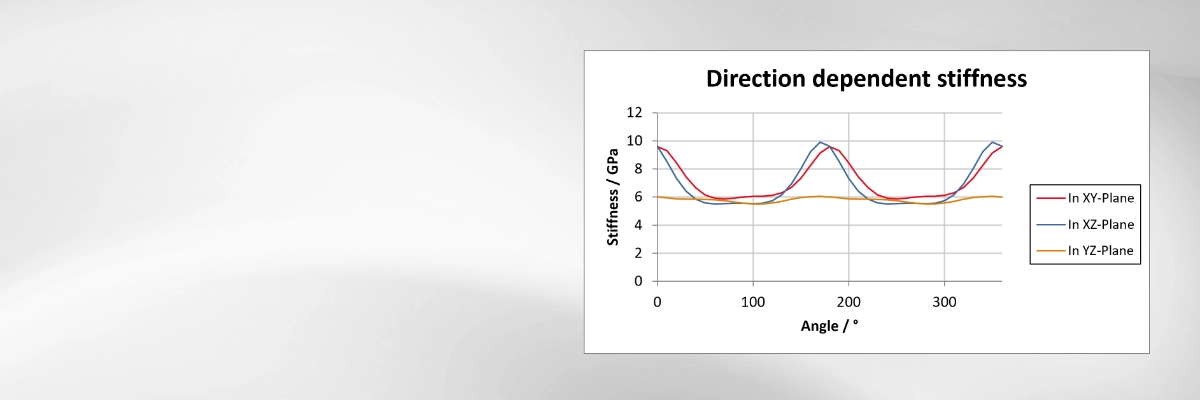
All Plots in One Excel Spread Sheet
The exported Excel file contains all the plots saved in the corresponding gdr result file
- Combine results in GeoDict and export to Excel
- Create your own plots and reports for your GeoApp and export these to Excel
On the right one sees the stiffness over angle plot for a ElastoDict simulation
GeoDexcel exports GeoDict result files to Microsoft Excel®, making the full range of Excel's analysis, visualization, and post-processing capabilities available for GeoDict simulation results. The export can be integrated into Python scripts, enabling the automatic generation of Excel reports as part of simulation workflows. A Python-based export is also available, allowing Excel® (*.xlsx) files to be created on Linux systems and on Windows computers without a Microsoft Excel installation.
The generated Excel report includes:
- Information about the analyzed geometry.
- All input settings of the corresponding GeoDict command.
- All simulation results stored in the GeoDict result file (*.gdr).
- Information about the simulation log and the hardware (optional).
- All plots displayed in the GeoDict Result Viewer, recreated as editable Excel charts.

GeoDexcel
- GeoDexcel is a basic module and part of the GeoDict Base license.
- GeoDexcel is not restricted to a specific module. The module post-processes all results produced in the form of GeoDict result files (*.gdr) from the GeoDict modules, be it modules for Digital Material Design or Digital Material Analysis.